ToolsWebBeta
Launch tool

Robots.txt Generator

Generate robots.txt files with user-agent rules, sitemap, and crawl directives.

Rule 1
Output
Recent
Nothing here yetYour recent activity will appear here
1 rule

Create a valid robots.txt file in seconds with our easy-to-use Robots.txt Generator. Control how search engine crawlers access your website, improve crawl efficiency, and support better technical SEO performance. Inspired by trusted resources from Google, SEOptimer, and DNSChecker.

What Is a Robots.txt File?

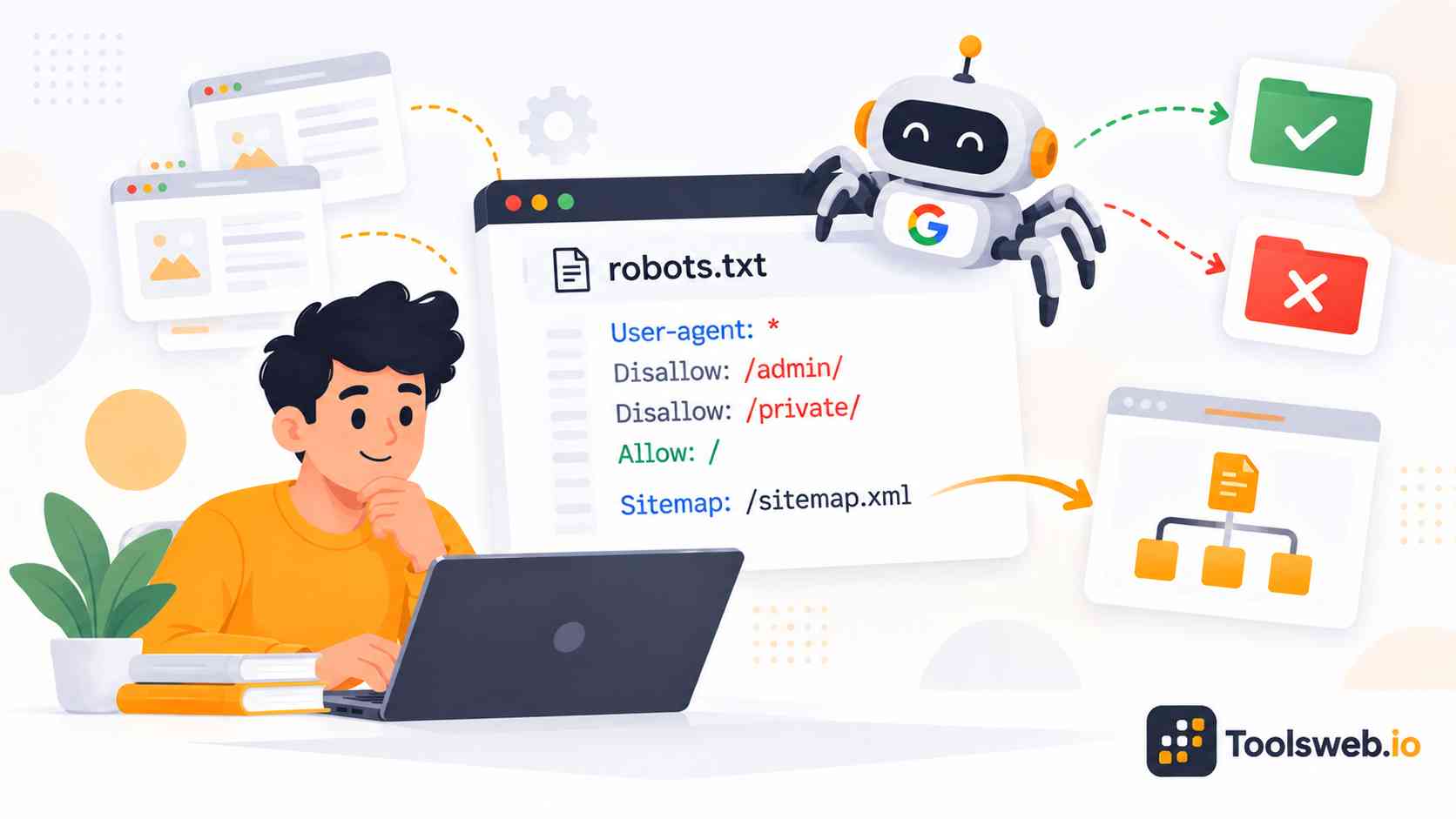
A robots.txt file sits in the root directory of a website. It uses simple text-based directives to guide crawler behavior and manage crawl accessibility.Website owners use robots.txt to allow or block specific pages, folders, or files from web crawlers. The file supports better crawl management and technical SEO organization.

Why Websites Need Robots.txt

Search engines crawl websites to discover and index content. A robots.txt file helps websites control which pages search bots should access Many websites block duplicate pages, admin areas, staging folders, or sensitive URLs to improve crawl efficiency. This process helps search engines focus on important content.

How Robots.txt Works

Search engine bots first check the robots.txt file before crawling website pages. The file tells crawlers which sections they can access or avoid.Different bots follow different crawl directives based on the rules inside the file. Website owners can create crawler-specific instructions for better indexing control.

Robots.txt Syntax and Directives

Robots.txt uses simple directives and rule structures. Each directive controls crawler permissions and crawl behavior for specific URLs or directories.Correct robots.txt syntax helps search engines understand crawl instructions clearly. Proper formatting also prevents crawl conflicts and indexing problems.

User-agent Directive
The user agent directive defines which crawler should follow the rule. Common bots include Googlebot, Bingbot, and AI crawlers.Website owners can create custom rules for specific search engine bots. This setup improves crawl prioritization and bot access control.

Disallow Directive
The disallow directive blocks crawlers from accessing selected pages or directories. Many websites use it to protect admin pages or duplicate content.A disallow rule does not always remove pages from search results. Search engines may still index URLs if other websites link to them.

Allow Directive
The allow directive gives crawlers permission to access selected pages inside blocked directories. This directive helps websites create more flexible crawl rules. SEO professionals often use allow directives for important files, images, or landing pages. This setup supports better crawl path control.

Sitemap Directive
The sitemap directive tells search engines where to find the XML sitemap. This helps crawlers discover important URLs faster.Adding a sitemap improves website discoverability and indexing accuracy. Many technical SEO experts recommend including it in every robots.txt file.

How to Create a Robots.txt File

This tool helps generate robots.txt rules for search engine crawlers quickly.

Step 1

Enter Website Paths

Add pages, folders, or directories to manage crawling.

Step 2

Select Search Engine Bots

Choose specific bots or allow all crawlers.

Step 3

Add Allow or Disallow Rules

Set crawl permissions based on SEO requirements.

Step 4

Include Sitemap URL

Add your XML sitemap link for better indexing.

Step 5

Generate Robots.txt File

Copy generated file to your website root directory.

Robots.txt Best Practices

Following robots.txt best practices helps prevent crawl mistakes and indexing issues. Small configuration errors can affect SEO performance.

Avoid Blocking Important Pages

Do not block pages that should appear in search results. Important landing pages, product pages, and blog posts should remain crawlable.Many beginners accidentally block CSS, JavaScript, or media files. Search engines need these files to render websites correctly.

Keep Robots.txt File Updated

Update the robots.txt file when website structure changes. New directories, staging environments, or content sections may require new rules. Regular updates help maintain crawl integrity and search engine compliance. SEO teams should review robots.txt during technical audits.

Test Robots.txt Rules Before Publishing

Always test crawl directives before publishing the file live. Incorrect rules may block important content from crawlers.Tools like Google Search Console help validate robots.txt syntax and crawl permissions. Testing reduces technical SEO risks.

Add Sitemap for Better Crawling

Include the XML sitemap URL inside the robots.txt file. Search engines use it to discover important URLs faster.This method supports better index coverage and crawl scheduling. Large websites especially benefit from sitemap integration.

Use Correct Robots.txt Syntax

Use proper formatting, spacing, and directive hierarchy in the file. Incorrect syntax can confuse crawler parsers.Always save the file as plain text with UTF-8 encoding. Correct formatting improves crawler readability and validation accuracy.

Avoid Using Robots.txt for Sensitive Data

Do not use robots.txt to protect private or confidential information because the file only gives crawl instructions to search engines. Public URLs may still appear in search results if other websites link to them. Sensitive pages should use proper authentication, password protection, or noindex directives instead of relying only on robots.txt restrictions.

Difference Between Robots.txt and Sitemap

Robots.txt and XML sitemaps support website crawling in different ways. Both files work together to improve search engine communication.

Purpose of Robots.txt

A robots.txt file controls crawler access to website content. It tells search engine bots which pages or directories they should avoid. Website owners mainly use robots.txt for crawl restrictions and crawler management. The file focuses on crawl permissions rather than URL discovery.

Purpose of XML Sitemap

An XML sitemap lists important website URLs for search engines. It helps crawlers discover pages faster and improve indexing coverage. Sitemaps often include metadata like update dates and crawl priority. This information supports better crawl optimization and indexing accuracy.

How Both Work Together for SEO
Robots.txt controls crawl behavior while XML sitemaps support URL discovery. Together, they improve crawl efficiency and technical SEO performance. Many SEO experts use both files to strengthen website visibility and search discoverability. This combination supports cleaner site architecture and better indexing management.

Benefits of Using Robots.txt

A properly configured robots.txt file supports technical SEO, crawl optimization, and better search engine communication.

Improve Crawl Budget Management

Robots.txt helps search engines avoid low-value or duplicate pages. This process saves crawl budget for important website content.

Prevent Unwanted Page Crawling

Website owners can block private sections, admin pages, or staging environments. This control improves content protection and crawl efficiency.

Help Search Engines Focus on Important Pages

Search bots can prioritize key landing pages and indexable content. Better crawl focus often improves search visibility.

Improve Technical SEO Performance

A clean crawl structure supports SEO audits and indexing management. Technical SEO performance improves when crawlers access the right content.

Who Should Use a Robots.txt Generator?

Many website owners and SEO professionals use robots.txt generators to simplify crawler management and improve technical SEO workflows.

SEO Experts

SEO experts use robots.txt files to manage crawl budget and optimize indexing strategies.

Website Owners

Website owners use robots.txt to protect private sections and organize crawler access.

Bloggers and Publishers

Bloggers and publishers use robots.txt to prevent duplicate content crawling and improve visibility.

Developers and Webmasters

Developers and webmasters use robots.txt during staging, testing, and website deployment.

eCommerce Websites

eCommerce websites use robots.txt to block filtered URLs, cart pages, and duplicate product parameters.

Frequently Asked Questions

These common questions help users understand how robots.txt works and how it supports technical SEO.

Other Related Tools