Decimal to Binary Converter

The Decimal to Binary Converter changes decimal numbers into binary instantly. Learn the method, see examples, use formulas, and check answers for homework, coding, and study.
From
Text—
Binary—
Hexadecimal—
Decimal—
Octal—
ASCII Codes—
Recent
Nothing here yetYour recent activity will appear here

What Is the Decimal Number System?

The decimal number system uses base 10 and ten digits, from 0 to 9. Each digit has a place value based on powers of 10. For example, 25 means two tens and five ones, or 2×10+52\times10+5. This system helps us write everyday numbers.

What Is Binary System?

The binary system uses base 2 and only two digits, 0 and 1. Each position represents a power of 2. For example, 1012101_2 equals 4+0+1=5104+0+1=5_{10}. Computers use binary to represent digital data and store information in electronic systems.
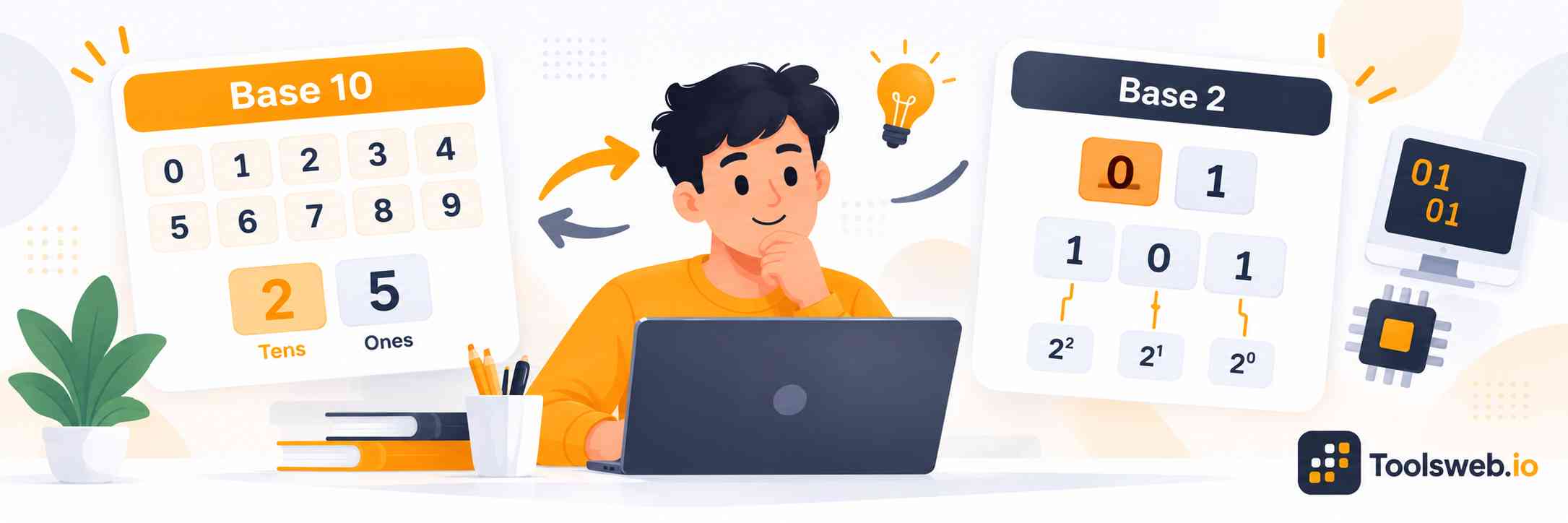
Decimal to Binary Converter showing base 10 numbers converted to base 2 binary values.

How can you use our Decimal to Binary Converter?

Our Decimal to Binary Converter quickly converts decimal numbers into binary values. Enter your decimal number, view the binary result, and copy it for homework, coding, or study.

Step 1

Enter Your Decimal Number

Type or paste the decimal number you want to convert.

Step 2

View Binary Result

Get the binary value instantly from your decimal number.

Step 3

Copy Result

Copy the converted binary value for future use.

How to Convert Decimal to Binary Manually

To convert a whole decimal number manually, divide it by 2 and record each remainder. Keep dividing the quotient until it reaches 0. Then read the remainders from bottom to top.

Formula: n=2q+rn=2q+r

Here, qq means the quotient and rr means the remainder. The remainder must be 0 or 1.

Step by step Guide

  1. Divide the decimal number by 2.
  2. Write down the remainder.
  3. Divide the new quotient by 2.
  4. Repeat until the quotient becomes 0.
  5. Read all remainders from bottom to top.

Practical Example

For 25:

25÷2=1225\div2=12 remainder 1
12÷2=612\div2=6 remainder 0
6÷2=36\div2=3 remainder 0
3÷2=13\div2=1 remainder 1
1÷2=01\div2=0 remainder 1

Read the remainders upward: 1100111001.

Therefore, 2510=11001225_{10}=11001_2.

This method works for every whole decimal value.

Decimal to Binary Conversion Methods

Decimal to binary conversion has useful methods for different values. Division by 2 works well for whole numbers. Powers of 2 help you understand binary place values.

Repeated multiplication works for decimal fractions.

Formula: n=2q+rn=2q+r

For fractions, multiply the fractional part by 2 and record each whole part.

Example:

0.625×2=1.250.625\times2=1.25

0.25×2=0.50.25\times2=0.5

0.5×2=10.5\times2=1

The result is 0.10120.101_2.

Pick the method that best matches the number you need to convert. Use the converter to check your final result.

Division Method

The division method works best for whole numbers. Divide by 2, record the remainder, and continue with the quotient. Formula: n=2q+rn=2q+r.

Stop when the quotient becomes 0. Read the remainders from the last step to the first.

Example: 1310=1101213_{10}=1101_2.

Subtraction Method

The subtraction method uses powers of 2. Find the largest power of 2 that fits the decimal number. Subtract it, then repeat with the remaining value.

Mark 1 for used powers and 0 for skipped powers.

Example: 13=8+4+113=8+4+1, so 1310=1101213_{10}=1101_2.

Comparing the Methods

Both methods give the same binary result. Division works well for quick hand conversion and larger whole numbers.

Subtraction helps students understand binary place values and powers of 2. Use division for speed, then use powers of 2 to check your answer.

Multiplication Methods

Use repeated multiplication when the decimal value has a fraction. Multiply the fraction by 2 and record the whole part.

Keep the new fractional part and repeat.

Example: 0.625×2=1.250.625\times2=1.25, then 0.25×2=0.50.25\times2=0.5, then 0.5×2=10.5\times2=1.

The binary fraction is 0.10120.101_2.

Decimal to Binary conversion table

Decimal

Binary

8 Bit Binary

0

0

00000000

1

1

00000001

2

10

00000010

3

11

00000011

4

100

00000100

5

101

00000101

6

110

00000110

7

111

00000111

8

1000

00001000

9

1001

00001001

10

1010

00001010

15

1111

00001111

20

10100

00010100

25

11001

00011001

50

110010

00110010

100

1100100

01100100

128

10000000

10000000

200

11001000

11001000

255

11111111

11111111

Note: The table shows common decimal values in binary. Use the 8 bit column for fixed width binary with leading zeros, such as 5 = 00000101.

Decimal to Binary Conversion in Programming

Decimal to binary conversion appears in programming when code works with bits, bytes, memory, and data representation. These examples show simple ways to convert values in common languages.

C

C can convert a decimal integer by repeatedly dividing it by 2. The code stores each remainder, then prints the values in reverse order.


int n = 25;
int binary[32];
int i = 0;

while (n > 0) {
binary[i++] = n % 2;
n /= 2;
}

for (i = i - 1; i >= 0; i--) {
printf("%d", binary[i]);
}

The output is 11001.

Python

Python provides a simple built in function for binary conversion. Use bin() and remove the 0b prefix from the result.


decimal_number = 25
binary_number = bin(decimal_number)[2:]

print(binary_number)

The output is:


11001

Java

Java provides Integer.toBinaryString() for decimal to binary conversion. Pass the decimal integer to the method and print the returned binary value.


int decimalNumber = 25;
String binaryNumber = Integer.toBinaryString(decimalNumber);

System.out.println(binaryNumber);

The output is:


11001

Challenges and Solutions in Decimal to Binary Conversion

Students often mix up binary place values, reverse remainders incorrectly, or forget leading zeros. Fractions can also repeat forever in binary. Check each step with powers of 2 or use the converter to verify the final result. For large values, compare the result with a second method before using it in an assignment.

Frequently Asked Questions

These answers cover binary equivalents, manual conversion, fractions, negative values, division by 2, number bases, and converter limits.