Developers Tools

PHP Formatter

Use Toolsweb's PHP Formatter to format, indent, and beautify PHP code. Choose 2 spaces, 4 spaces, or tabs, then copy clean code.
14 lines
295 chars
Input PHP
Formatted
Recent
Nothing here yetYour recent activity will appear here
4sp

What is PHP?

PHP is a scripting language for websites and web apps. PHP began in 1994. Developers use it to build dynamic pages, process data, connect databases, and create server software for modern web projects.

What is a PHP Formatter?

A PHP Formatter cleans source code by organizing indentation, spacing, and line breaks. It makes PHP easier to read and review while keeping the code's intended logic unchanged for developers daily.
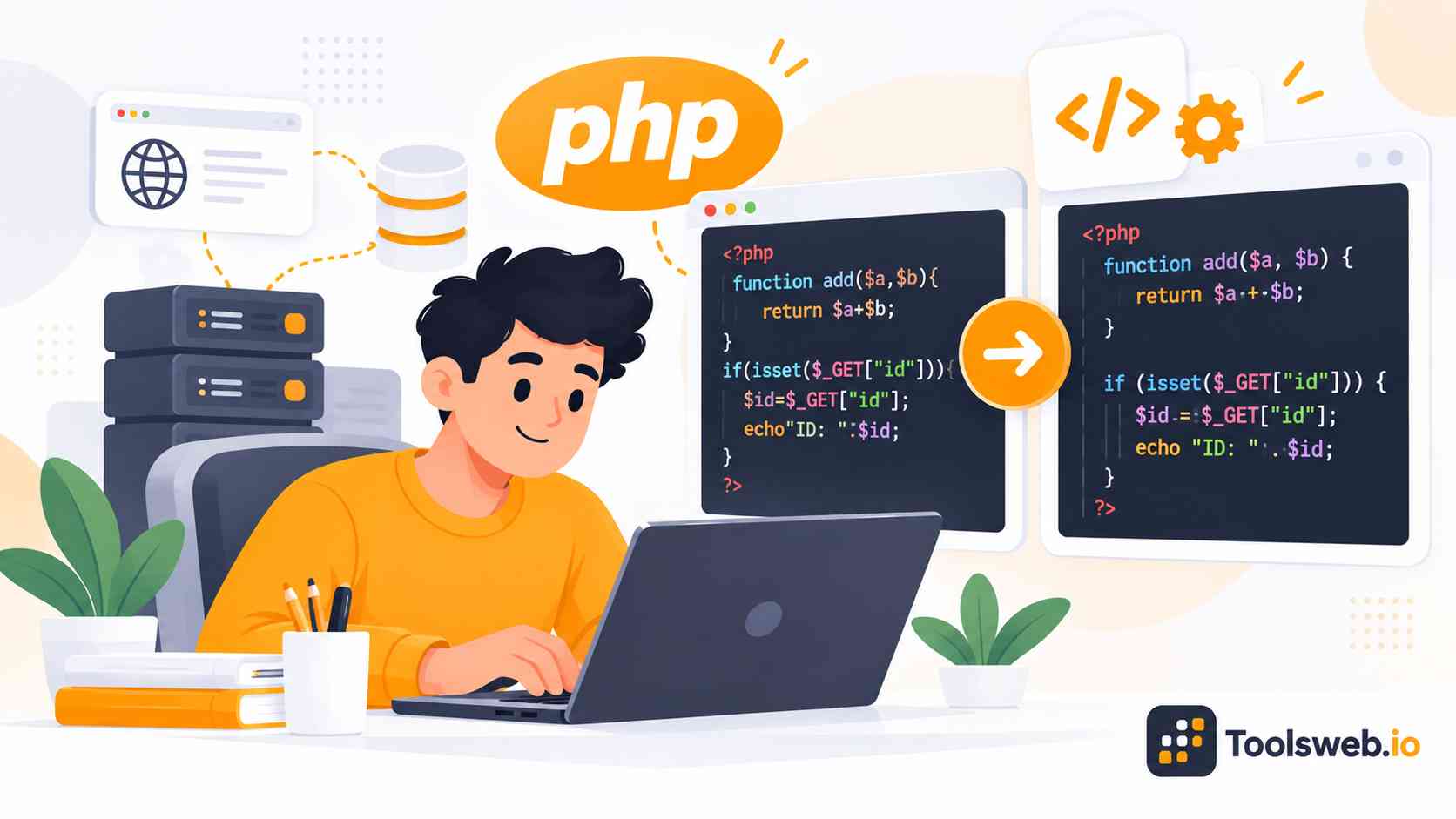
PHP Formatter showing PHP code being automatically formatted and cleaned into a consistent, readable structure for easier development and maintenance.

How can you use our PHP Formatter?

Our PHP Formatter quickly formats and indents PHP code for better readability.

Step 1

Enter Your PHP Code

Type or paste the PHP code you want to format.

Step 2

Choose Indentation

Select 2 spaces, 4 spaces, or tabs to format your PHP code.

Step 3

Copy Result

Copy your formatted PHP code for future use.

Features of Toolsweb's PHP Formatter

Toolsweb's PHP Formatter keeps PHP code clean and readable. It offers simple formatting controls, comparisons, browser access, and quick copying.

Automatic PHP Code Formatting

Automatic PHP formatting organizes indentation, spacing, and line breaks. It turns messy PHP source into a cleaner structure for easier reading.

Custom Indentation Options

Choose 2 spaces, 4 spaces, or tabs for PHP indentation. This helps match your project's coding style and keeps source code consistent across files.

PHP Code Beautification

PHP code beautification improves messy source structure. Clear indentation and spacing make PHP easier to read, review, and maintain.

Before and After Comparison

Compare original PHP code with the formatted result. The before and after view makes indentation, spacing, and layout changes easy to check.

Copy Formatted Code

Copy formatted PHP code with one simple action. Use the result in your editor, project files, documentation, or code review.

Browser Based Formatting

Use the PHP Formatter directly in your browser. Format PHP code without installing a separate formatter program on your computer.

PHP Formatter Before and After

Compare messy PHP code with the formatted result to check indentation, spacing, and readability before using the code.

Before


<?php
function hello(name){if(name){echo "Hello ".$name;}else{echo "Hello";}}
?>

After


<?php

function hello($name)
{
if ($name) {
echo "Hello " . $name;
} else {
echo "Hello";
}
}

The formatted version uses clearer indentation, spacing, braces, and line breaks. It makes the same code easier to read and review.

Common Use Cases of PHP Formatter

Developers use a PHP Formatter for coding standards, inherited code, syntax checks, and code reviews. It keeps PHP snippets readable.

Adopting PSR-12

Format PHP code to follow PSR 12 style when your project uses that standard. Consistent spacing and indentation make shared code easier to review.

Cleaning up inherited code

Clean inherited PHP code before editing or reviewing it. Formatting gives old source code a clearer structure.

Checking syntax quickly

Use formatting as a visual check for messy PHP code. A formatter helps structure code, but it does not replace a full PHP syntax checker.

Reviewing snippets

Format PHP snippets before a code review or when sharing examples. Clean indentation helps reviewers focus on logic instead of confusing code layout.

PHP Formatter vs PHP Minifier

A PHP Formatter improves readability, while a PHP Minifier reduces code size. Use formatting for development and minifying for delivery.

Feature

PHP Formatter

PHP Minifier

Main purpose

Improves readability

Reduces code size

Indentation

Adds clear indentation

Removes unnecessary spacing

Spacing

Makes spacing consistent

Removes extra spacing

Line breaks

Adds useful line breaks

Removes unnecessary breaks

Code size

Usually stays similar

Makes output smaller

Best for

Development and reviews

Delivery and production output

Human readability

High

Lower

Source editing

Recommended

Not ideal

Note: Formatting improves readable code structure, while minification reduces output size. Keep formatted PHP source for development and code reviews.

PHP Formatting Standards

PHP formatting standards set rules for indentation, spacing, braces, and code layout. Use the standard that fits your team.

PSR 12

PSR 12 provides modern PHP coding style rules for consistent source code. Teams can use it as a shared formatting guide.

PSR 1

PSR 1 introduced basic PHP standards for files, classes, methods, and source structure.

PSR 2

PSR 2 defined detailed PHP style rules and later led toward PSR 12. It remains useful for older projects.

PER Coding Style

PER Coding Style builds on PHP standards and gives developers rules for consistent source formatting.

PEAR Coding Standards

PEAR Coding Standards provide PHP rules for indentation, naming, braces, and source formatting.

WordPress PHP Coding Standards

WordPress PHP Coding Standards guide PHP style for WordPress projects and support consistent source code.

Symfony Coding Standards

Symfony Coding Standards guide PHP style across Symfony projects, including spacing, naming, and structure.

Laravel Coding Style

Laravel coding style keeps controllers, models, routes, and other PHP source files readable and consistent.

Common PHP Formatting Problems

Common PHP formatting problems include uneven indentation, crowded lines, mixed tabs and spaces, misplaced braces, and inconsistent spacing. A formatter can clean these layout issues quickly. It can also make nested blocks easier to read and review.

Explore ToolsWeb More Developer Tools

Use free developer tools for coding, formatting, encoding, debugging, and everyday web development tasks, all in one place today.

Frequently Asked Questions

These answers explain PHP formatting, coding standards, modern syntax, parse errors, behavior, delays, and code privacy.